

This guide provides a straightforward method for enhancing your Shopify customer notification emails by adding your logo, which helps reinforce your brand identity. By following the simple steps outlined, you can customize your email templates to create a more professional and cohesive look. This not only improves customer recognition but also enhances the overall customer experience.
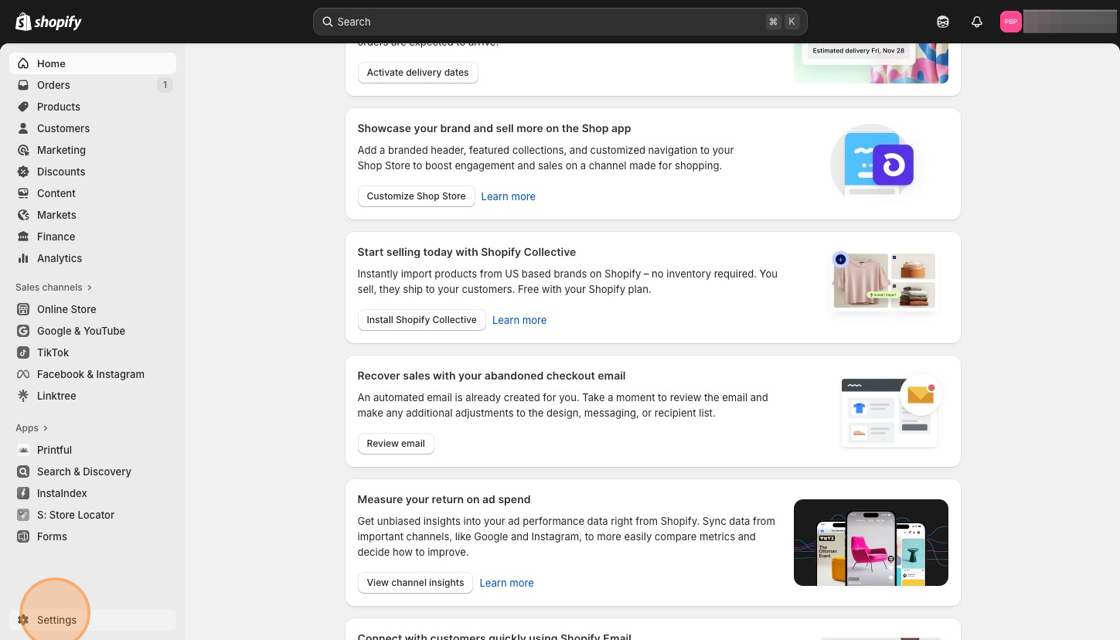
1. Navigate to Settings in your Shopify dashboard. Click "Settings"
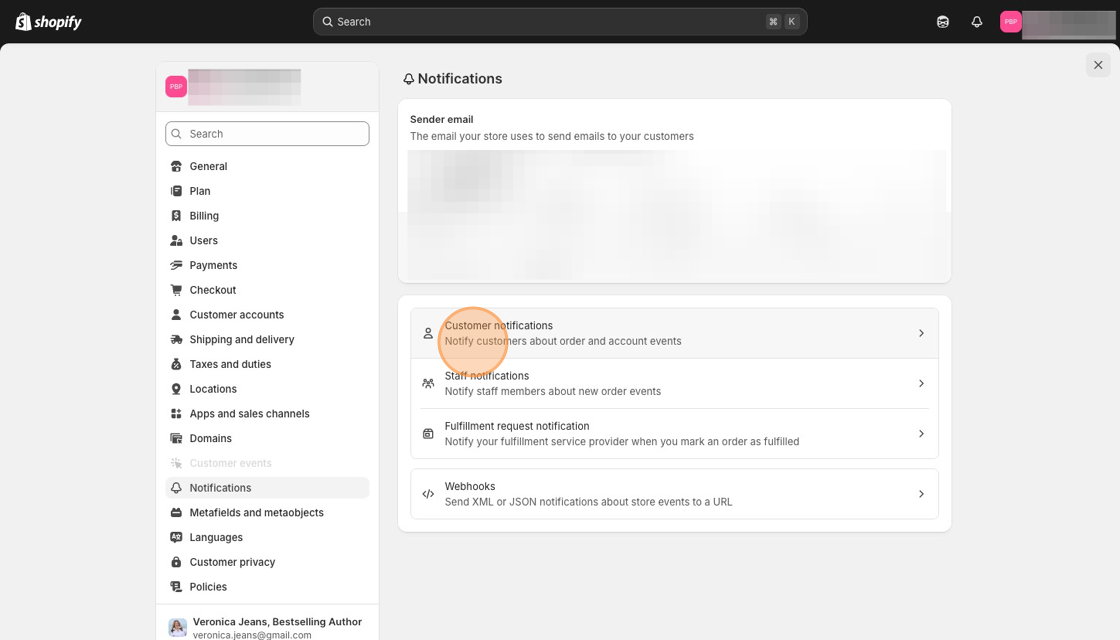
2. Click "Notifications"

3. Click "Customer notifications"
4. Click "Customize email templates"

5. Click "Add image"

6. Click the "Search" field to find your logo.

7. Click on your logo you want to add to your customer notifications.

8. Click "Done"

9. Click the "Colors' button/link.

10. Add your Hex code to the field. And save because otherwise it will not show you what the colors are.

Made with Scribe
